Report Card Generator for Schools
Acadlio is a free report card generator that helps schools create professional, print-ready result cards for entire classes in minutes. Import your student data from Excel, add your school logo and branding, and export bulk PDFs — ready to print and distribute to parents.
Built specifically for marks-based grading systems used across Pakistan, India, and South Asia. No GPA conversion needed.
Why Schools Need a Dedicated Report Card Generator
Every exam season, schools face the same challenge: hundreds of report cards need to be created, printed, and distributed — often within days. Most schools still rely on Excel spreadsheets, handwritten registers, or expensive school management software that does far more than needed.
Acadlio was built to solve exactly this problem. It is a focused tool that does one thing well: turn your student marks data into professional, branded report cards. No complex setup. No training needed. No annual contracts.
Whether your school has 30 students or 3,000, the process is the same: import data, customize the design, and export. Every report card carries your school name, logo, and grading criteria — consistent across every class and section.
Features Built for School Administration
Bulk Data Import
Upload your entire class data from Excel or CSV files. Student names, subjects, marks — all imported in seconds. No manual entry needed for existing records.
School Branding
Add your school logo, customize headers, and include teacher signatures. Every report card looks professional and consistent with your school identity.
Bulk PDF Export
Generate PDFs for all students in a class with one click. Print-ready, high quality, and ready to distribute to parents on result day.
Data Privacy
Student data stays in the browser — never uploaded to external servers. Schools maintain full control over sensitive student information.
How Schools Use Acadlio
Import Class Data
Upload your Excel file with student names and marks. Or enter data directly in the spreadsheet interface — it works like Excel.
Add School Branding
Upload your school logo, add the principal and teacher signatures, customize headers with school name and exam details.
Export All Cards
Click export and get PDFs for every student in the class. Print them directly or share digitally with parents.
Sample School Report Card
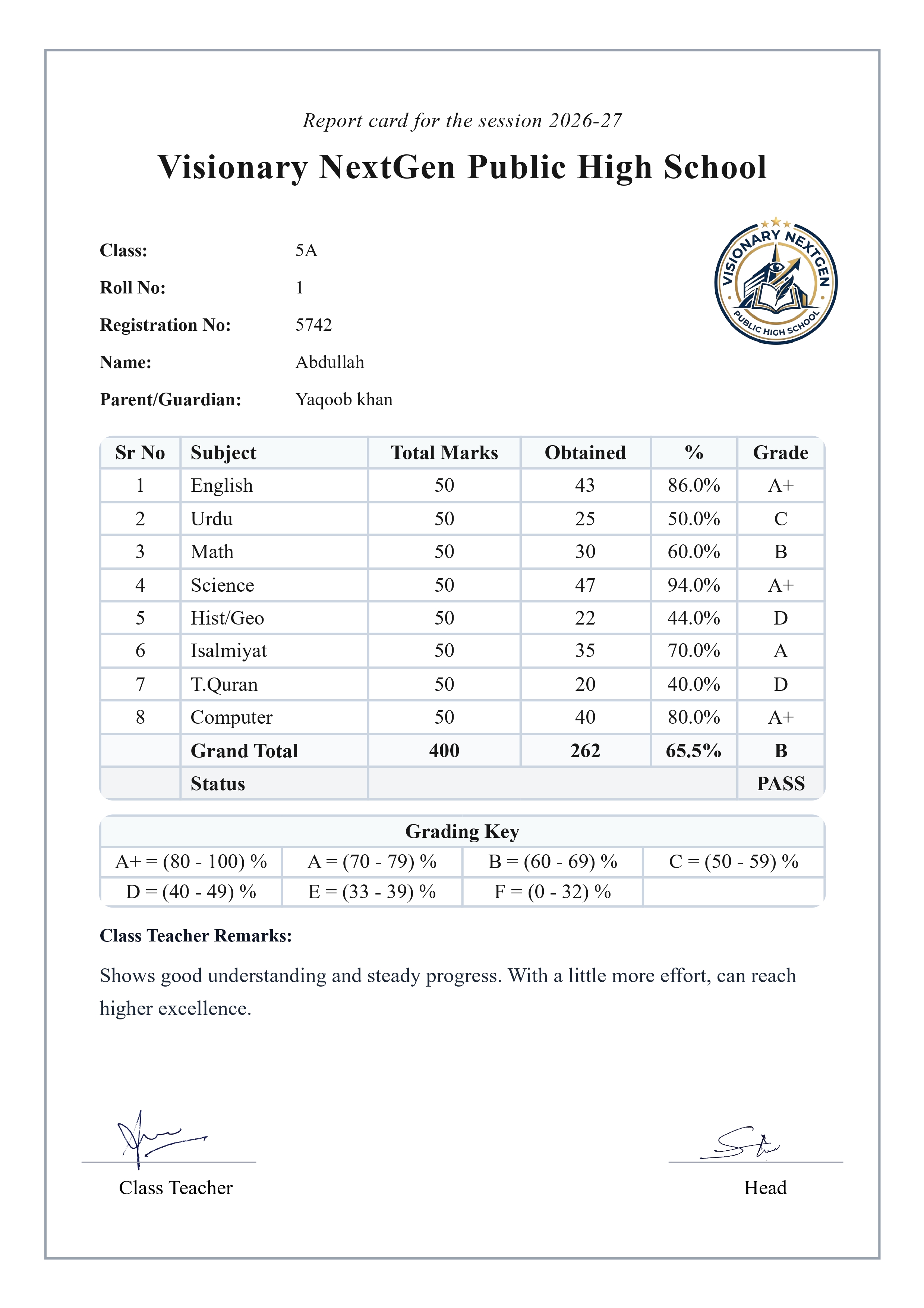
Here is a report card generated by Acadlio — with school logo, grading criteria, and professional formatting.
Built for Marks-Based Grading — Not GPA
Most report card tools are built for the American GPA system. Schools in Pakistan, India, Bangladesh, and across South Asia use marks-based grading — total marks, obtained marks, percentages, and grade boundaries like A+, A, B, C.
Acadlio supports this natively. Define your own subjects, set maximum marks per subject, and let the system calculate totals, percentages, and grades automatically. No awkward GPA conversion. No workarounds. It just works the way your school already grades.
Frequently Asked Questions
Is this report card generator free for schools?
Yes. Acadlio offers a free plan with 200 report cards every month. For schools that need unlimited cards, affordable monthly and yearly plans are available.
Can multiple teachers use Acadlio for the same school?
Each teacher can sign in with their own Google account and create report cards for their class. The school logo and branding can be uploaded by each teacher to maintain consistency.
Can I import our existing student data from Excel?
Yes. Upload Excel (.xlsx, .xls) or CSV files with student names, subjects, and marks. The data imports directly into the spreadsheet interface where you can review and edit before exporting.
Is student data secure?
Student data is stored locally in the browser and never uploaded to external servers. Schools maintain full control over all student information.
How is Acadlio different from Excel for report cards?
Excel requires manual formatting, formula setup, and print configuration for every class. Acadlio handles all of this automatically — enter data, and get print-ready PDFs with professional formatting, school logo, and consistent design across every student.
Guides for Schools
I Wrote 98 Result Cards by Hand — Here's the Tool I Built
The story behind Acadlio — why a teacher built a report card generator for schools.
Excel vs Online Report Card Generator — An Honest Comparison
Should your school keep using Excel or switch to a dedicated tool?
How to Create Report Cards Online for Free
Step-by-step guide for schools getting started with online report cards.
IBCC Grading System — Sample Report Card
Understanding Pakistan IBCC grading with a sample generated report card.
Are you an individual teacher? See our Report Card Generator for Teachers — designed for personal use from any device.
Ready to Generate Report Cards for Your School?
Start with 200 free report cards every month — no credit card required
Get Started Free