Report Card Generator for Teachers
Acadlio is a free report card generator that lets you create professional result cards from your phone or laptop — no IT department, no complex software, no design skills. Just enter your student marks and get print-ready PDFs in minutes.
Built by a teacher who wrote 98 result cards by hand and decided there had to be a better way.
The Problem Every Teacher Knows
Exam season ends. Now comes the real work — writing report cards. You have 30, 50, maybe 98 students. Each one needs a result card with their name, marks in every subject, total, percentage, grade, and your signature. And the school wants them by Monday.
Some teachers use Excel. But Excel was not built for this — you spend more time formatting cells, fixing print layouts, and troubleshooting formulas than actually entering marks. Some schools have expensive software, but it needs IT support to set up and you cannot access it from home.
Acadlio is different. It is a focused tool built by a teacher, for teachers. Open it in your browser — on your phone, tablet, or laptop. Enter your marks in a familiar spreadsheet. Click export. Done. Professional report cards, ready to print.
Why Teachers Choose Acadlio
Works on Your Phone
No laptop? No problem. Acadlio works on any smartphone or tablet. Enter marks with your phone keyboard, just like texting. The same spreadsheet interface works across all your devices.
5 Minutes, Not 5 Hours
What used to take an entire evening now takes minutes. Enter marks, preview the result card design, and export PDFs for all students. No formatting struggles, no print alignment issues.
Familiar Spreadsheet Interface
If you have ever used Excel, you already know how to use Acadlio. The data entry interface looks and feels like a spreadsheet — with full keyboard navigation on desktop. Works on mobile too.
No IT Support Needed
No installation. No software to download. No school IT department required. Sign in with your Google account and start creating. Works from home, from school, from anywhere.
How Teachers Create Report Cards with Acadlio
Enter Your Marks
Type in student names and marks directly, or import from an existing Excel file. Works on phone or laptop.
Customize the Look
Add your school logo if you have one, include your signature, and set grading criteria. The preview updates in real time.
Export & Print
Download PDFs for all your students in one click. Print them at school, at home, or at a print shop.
What You Get with the Free Plan
- 200 report cards every month — resets automatically
- Excel and CSV import
- School logo and teacher signature
- Professional PDF export for all students
- Works on phone, tablet, and desktop
- Marks-based grading with custom grade boundaries
- Data stored locally in your browser — fully private
Need more than 200 cards?
See pricing plans →See a Sample Report Card
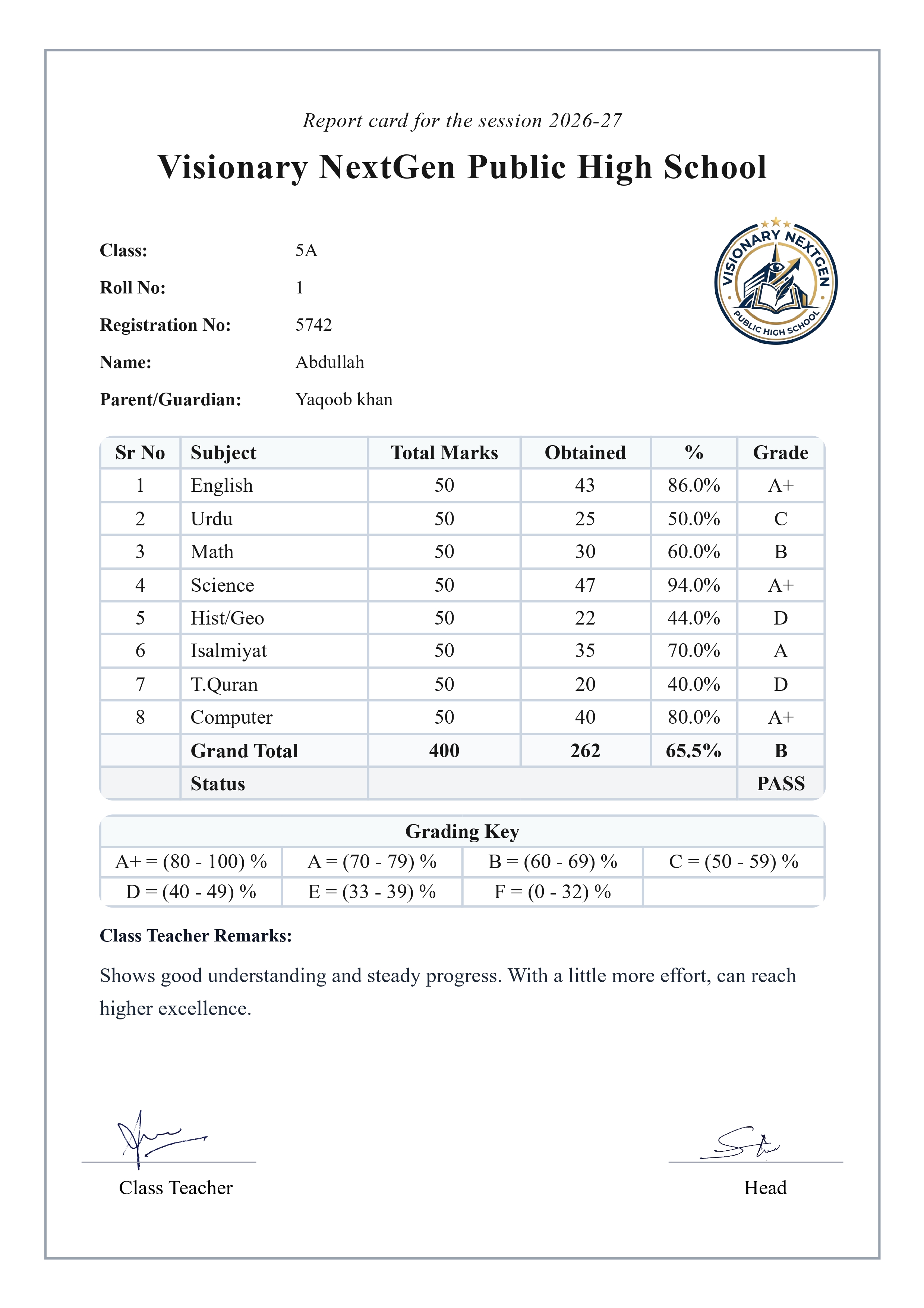
This is what your students' report cards will look like — professional, clean, and ready to print.
Questions Teachers Ask
Can I really create report cards from my phone?
Yes. Acadlio works on mobile browsers — you can enter marks and generate report cards from your phone. The interface is the same spreadsheet layout, so you can work from anywhere.
Do I need to install anything?
No. Acadlio runs entirely in your web browser. Just go to acadlio.com, sign in with Google, and start creating. You can also install it as an app on your phone for quick access.
I already have marks in Excel — can I use those?
Yes. Upload your Excel file and the data imports directly. Student names, subjects, marks — everything comes in. You can review and edit in the spreadsheet interface before exporting.
Is my students' data safe?
Your student data stays in your browser. It is never uploaded to any server. Only you can see and access it. When you clear your browser data, it is gone completely.
Why not just use Excel or Google Sheets?
Excel was not designed for report cards. You spend hours formatting cells, fixing print layouts, and troubleshooting page breaks. Acadlio gives you a professional result card design automatically — enter marks and get PDFs. No formatting work.
Helpful Guides for Teachers
I Wrote 98 Result Cards by Hand — Here's What I Built Instead
The real story of a teacher who spent an entire weekend on report cards and decided to build a better way.
How to Create Report Cards Online for Free
Step-by-step guide to creating your first batch of report cards with Acadlio.
Excel vs Online Report Card Generator — Honest Comparison
When does Excel still make sense? When should you switch to a dedicated tool?
IBCC Grading System — Sample Report Card
Understanding the Pakistan IBCC grading criteria with a sample report card.
Managing report cards for an entire school? See our Report Card Generator for Schools — designed for bulk generation and school-wide consistency.
Stop Writing Report Cards by Hand
Join teachers who create professional result cards in minutes, not hours
Get Started Free